Create Service Factory
- In the same Maintenance Unit, expand Assemblies and select CalcByFreq.

- Right-click the Services folder and select Add File.
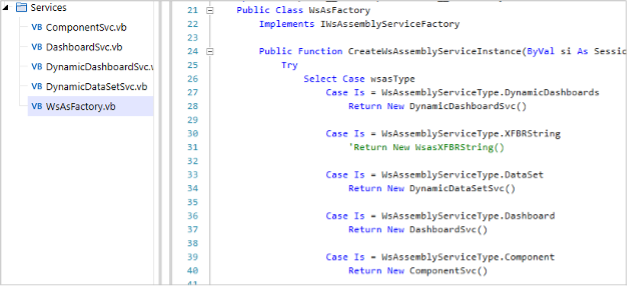
- Create a Service Factory called WsAsFactory and enable the services that the Assembly already contains. The result should look like this:
note
You can delete other case blocks, but you do not have to.
- Enable the Service Factory in the Main Maintenance Unit and on the Workspace and save your work.
