Create a New XFBR Service
- Right-click Files, select Add File.

- Name: MyXFBRs
- Type: XFBR String Service
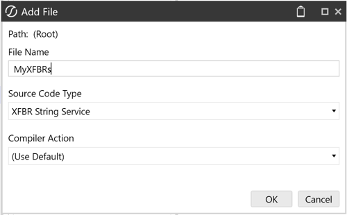
- In the body of function GetXFBRString:
- Set the checked Function name to Tree
- Replace the Return line with:
Return "A#Cash.Tree"
The result:
If (globals IsNot Nothing) AndAlso (workspace IsNot Nothing) AndAlso (args IsNot Nothing) Then
    If args.FunctionName.XFEqualsIgnoreCase("Tree") Then
        Return "A#Cash.Tree"
    End If
End If
- Save .